What Is PDF/A? Your Complete Guide to Digital Archiving
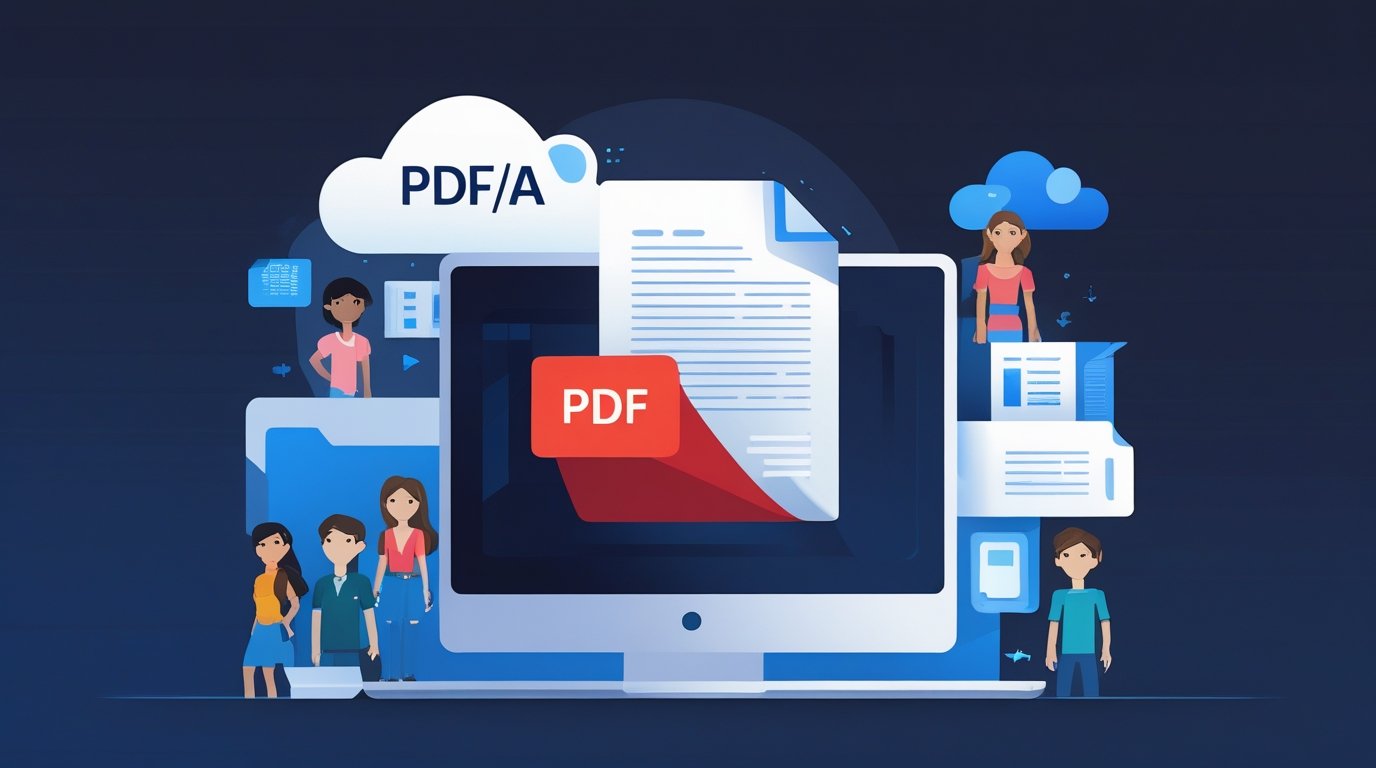
Ever wondered how important documents stay readable for decades? Let’s explore PDF/A – the superhero of file formats!
Introduction: The Problem with Regular Files
Imagine finding an old family photo album from 50 years ago. You can still see every picture perfectly, right? Now imagine trying to open a computer file from 50 years ago. Would it still work? Would you even have the right program to open it?
This is exactly the problem PDF/A was created to solve. Whether you’re converting text files to PDF or converting images like JPG to PDF, understanding the difference between regular PDFs and PDF/A can help you preserve important documents for the long term. Let me explain.
What Exactly Is a PDF/A File?
First, let’s break down what those letters mean:
- PDF = Portable Document Format (the regular files you see everywhere)
- PDF/A = The “A” stands for “Archive” or “Archival”
Think of PDF/A as PDF’s super-serious older sibling. While regular PDFs are great for everyday use, PDF/A is specifically designed for one critical mission: keeping documents safe and readable forever – or at least for a very, very long time.
Why Did We Need PDF/A?
Here’s a real-world problem: Let’s say a hospital saves a patient’s medical records today. In 30 years, that same person might need those records. But what if:
- The software that created the file doesn’t exist anymore?
- The special fonts used in the document are no longer available?
- The links in the document lead to websites that shut down years ago?
This is where PDF/A becomes a lifesaver. It’s built specifically to avoid these problems.
The Magic Behind PDF/A: How Does It Work?
PDF/A has one super important rule: Everything must be self-contained.
What Does “Self-Contained” Mean?
Think of it like packing for a camping trip. A regular PDF might pack a tent but assume you’ll find firewood at the campsite. A PDF/A file packs EVERYTHING – the tent, the firewood, the matches, the cooking pot, and even the instructions on how to use them. It doesn’t depend on finding anything when you get there.
This is especially important when you’re dealing with large documents that you need to transfer across multiple devices. PDF/A ensures that no matter which device opens the file, everything needed to display it correctly is already included.
Here’s what PDF/A packs inside:
- All fonts – Every letter style used in the document is embedded right into the file
- All images – Pictures are stored completely within the file
- All colors – Color information is saved so colors look exactly the same on any device
- All formatting – How the text looks and where it sits on the page
What PDF/A DOESN’T Include (And Why)
PDF/A actually removes some features that regular PDFs have. Why? Because these features might not work in the future:
No Hyperlinks – Links to websites could break if those websites shut down. Imagine opening a document in 2050 and clicking a link to a website from 2025 that doesn’t exist anymore!
No Encryption or Passwords – Password technology changes over time. What if the encryption method becomes outdated and no one can unlock your file?
No Videos or Audio – Media players and formats change constantly. Remember trying to play an old video file and getting an error? PDF/A avoids this problem entirely.
No Forms You Can Fill Out – Interactive forms rely on specific software features that might not exist in the future.
No External Dependencies – Nothing in the file can rely on something outside the file to work properly.
Why Is PDF/A So Important?
Let’s look at some real examples of where PDF/A makes a huge difference:
1. Legal Documents and Contracts
Imagine signing a business contract today. If there’s ever a legal dispute 20 years from now, you’ll need to prove exactly what the contract said. PDF/A ensures the document looks identical to how it did on the day you signed it. No arguments about whether the text changed or looked different.
2. Government Records
Governments keep records of births, marriages, property ownership, and more. These documents need to last for 50, 100, or even 200 years! PDF/A makes sure future generations can still access these records.
3. Medical Records
Your health records might be needed throughout your entire life. PDF/A ensures that a chest X-ray taken today can still be opened and viewed correctly 40 years from now.
4. Historical Archives
Museums, libraries, and universities preserve important historical documents. PDF/A helps them digitize old papers, books, and manuscripts in a format that won’t become unreadable as technology changes.
5. Family Documents
Think about important family papers like wills, property deeds, or adoption records. These documents need to stay readable for your children and even your grandchildren. PDF/A provides that guarantee.
PDF vs. PDF/A: What’s the Real Difference?
Let’s compare these two formats side by side:
Regular PDF:
Best for: Everyday documents, sharing files, presentations, interactive content Features:
- Can include clickable links to websites
- Can have videos and audio embedded
- Can include fillable forms
- Can be password-protected
- Great for documents you might edit later
- Perfect for interactive presentations
Problem: Some features might not work in 10-20 years
PDF/A:
Best for: Long-term storage, legal records, official archives Features:
- Everything is built into the file itself
- Will look exactly the same decades from now
- No dependence on external websites or software
- Meets international archiving standards
- Cannot be changed (which is actually good for official records!)
Trade-off: No fancy interactive features, but that’s the whole point!
Think of It This Way:
- Regular PDF = A smartphone with apps that need internet and updates
- PDF/A = A printed book that works the same way for centuries
The Four Versions of PDF/A Explained Simply
PDF/A has evolved over time. Here are the four main versions, explained in a way that actually makes sense:
PDF/A-1 (The Foundation) – Released in 2005
Think of it as: The basic, no-frills version
This was the first PDF/A version. It covers all the essential archiving needs:
- Embeds all fonts and images
- No encryption or multimedia
- Perfect for simple text documents
Best for:
- Legal contracts
- Basic government forms
- Personal documents like wills
- Simple business records
Real-world example: A signed rental agreement that needs to be kept for 10 years
PDF/A-2 (The Upgrade) – Released in 2011
Think of it as: The “professional edition”
This version added some useful features:
- Can use transparent elements (like watermarks)
- Can include layers (great for architectural plans)
- You can embed PDF/A files inside other PDF/A files (like putting documents in folders)
Best for:
- Engineering drawings
- Architectural blueprints
- Complex reports with multiple sections
- Technical documentation
Real-world example: A building design with multiple layers showing electrical, plumbing, and structural plans
PDF/A-3 (The Flexible One) – Released in 2012
Think of it as: The “attachments allowed” version
The big addition here: You can attach OTHER types of files to your PDF/A document!
Why is this useful? Imagine a business invoice:
- The PDF/A shows the invoice that humans read
- Attached inside is an Excel spreadsheet or XML file that accounting software can read
- Both stay together forever!
Best for:
- Business invoices with attached data files
- Scientific papers with attached raw research data
- Financial reports with attached spreadsheets
Real-world example: A medical lab report (PDF/A) with the raw test data (Excel file) embedded inside
PDF/A-4 (The Modern One) – Released in 2020
Think of it as: The “future-proof” version
This is the newest and most advanced version. It:
- Makes embedding files even easier
- Removes some old restrictions
- Works with the latest PDF technology
- Prepares documents for whatever comes next
Best for:
- Organizations planning for the long-term future
- Complex modern workflows
- Documents that need maximum flexibility
- Any new archiving project starting today
Real-world example: A comprehensive patient health record that includes PDFs, data files, and imaging reports all in one package
When Should You Use PDF/A? (And When Shouldn’t You?)
✅ PERFECT Times to Use PDF/A:
1. Documents that are final and complete
- Once you create a PDF/A, you shouldn’t change it. It’s like laminating a paper – it’s protected but permanent.
2. Official records that need to last years
- Birth certificates
- Marriage licenses
- School diplomas
- Business licenses
3. Legal agreements
- Contracts
- Wills
- Property deeds
- Court documents
4. Documents required by law to be preserved
- Many industries have legal requirements to keep records for specific time periods. PDF/A helps meet these requirements.
5. Historical or research materials
- Academic papers
- Research findings
- Historical photographs and documents
- Museum collections
❌ NOT Ideal Times to Use PDF/A:
1. Documents you need to edit later
- Project drafts
- Works in progress
- Collaborative documents
- Anything that might need updates
2. Interactive presentations
- Slideshows with animations
- Training materials with videos
- Documents with embedded audio
3. Files with clickable links
- Website menus
- Marketing materials with social media links
- Documents that rely on external resources
4. Forms that people need to fill out
- Job applications
- Survey forms
- Registration documents
Quick decision guide: Ask yourself: “Will this document need to stay exactly the same for many years?” If yes, use PDF/A. If no, stick with regular PDF.
How to Create and Use PDF/A Files
Creating a PDF/A:
Most modern PDF software includes a PDF/A option. You can also use online tools like DailyMultiTools for easy conversion:
Method 1: When saving/exporting
- Create your document in Word, Excel, or any other program
- Choose “Save As” or “Export to PDF”
- Look for “PDF/A” in the format options
- Select the PDF/A version you need (usually PDF/A-1 for simple documents)
- Save!
Method 2: Converting existing PDFs
- Open your regular PDF
- Use PDF software like Adobe Acrobat, or online tools like DailyMultiTools, Smallpdf, and others
- Find the “Convert to PDF/A” option
- Be aware: Some features (like links or videos) will be removed
Important Note About Converting:
When you convert a regular PDF to PDF/A, the software will:
- Remove hyperlinks
- Remove multimedia content
- Embed all fonts and images
- Remove encryption
Make sure you want these changes before converting!
Opening PDF/A Files:
The good news? PDF/A files open just like regular PDFs! You can use:
- Adobe Acrobat Reader
- Web browsers (Chrome, Firefox, Safari)
- Built-in PDF viewers on phones and tablets
- Any standard PDF reading software
The file will look normal, but it has all those special archiving features built in behind the scenes.
Real-World Success Stories
Let’s look at how PDF/A is actually being used:
The U.S. National Archives They use PDF/A to preserve millions of government documents, ensuring that future historians can study today’s events decades from now.
European Banking System Banks are required by law to keep transaction records. PDF/A ensures these records remain readable and unchanged for the required 10+ years.
Medical Research Libraries Research papers and clinical trial results are stored in PDF/A format so that future scientists can access and build upon past discoveries.
University Diploma Systems Many universities now issue diplomas in PDF/A format, guaranteeing students can always prove their credentials, even 50 years after graduation.
Common Questions Students Ask
Q: Can I just use a regular PDF instead? A: For most school projects and everyday use, yes! Use PDF/A only when documents need to last many years unchanged.
Q: Is PDF/A harder to create? A: Not at all! It’s usually just one extra click when saving. The software does all the technical work.
Q: Will PDF/A files be bigger? A: Sometimes slightly bigger because everything is embedded, but the difference is usually small and worth it for important documents.
Q: Can I convert a PDF/A back to a regular PDF? A: Yes, but you’ll lose the archiving benefits. The whole point is to keep it as PDF/A!
Q: Do I need special software? A: No! Any PDF reader can open PDF/A files. Special software is only needed to CREATE them.
The Bottom Line: Why PDF/A Matters
In our digital world, we create millions of documents every day. Most will be forgotten, but some are truly important – records of our education, health, legal agreements, and history.
PDF/A is the digital equivalent of carving something in stone. It ensures that important documents survive technological changes and remain readable far into the future.
Think about it: Your great-great-grandchildren might one day open a PDF/A document you create today. How cool is that?
Whether you’re preserving family history, official records, or important achievements, PDF/A gives you confidence that these digital documents will stand the test of time.
Quick Reference Guide
Remember PDF/A as “Archive”
- A = Archive/Archival
- Built for long-term preservation
- Everything is self-contained
- No external dependencies
Choose Your Version:
- PDF/A-1: Basic documents (most common)
- PDF/A-2: Complex layouts with layers
- PDF/A-3: Need to attach other files
- PDF/A-4: Most modern and flexible
When in doubt: If it’s important and needs to last, use PDF/A. If it’s casual or might need editing, use regular PDF.
Now you know everything you need about PDF/A! You’re ready to preserve documents that will last a lifetime – or even longer!