Understanding PDF quality and conversion accuracy: What you need to know
Ever had trouble editing or converting a PDF? You might find the output is wrong or the layout is off. The origin of your PDF matters more than you think, when editing and converting files.

PDF quality and conversion
The PDF conversion accuracy depends a lot on the quality of the original PDF. PDFs made digitally usually convert better than scanned or low-quality ones. This is because digital PDFs have structured data that software can easily understand.
Key Takeaways
- The origin of a PDF significantly affects its conversion accuracy.
- Digitally created PDFs convert more accurately than scanned or poorly generated ones.
- Understanding PDF quality is key for accurate conversions.
- The quality of the original PDF affects the editability of the converted file.
- Poor PDF quality can cause inaccurate or distorted conversions.
The Fundamentals of PDF Quality
Understanding PDF quality is key for accurate conversions. Several factors determine a PDF’s quality, affecting its conversion.
What Determines PDF Quality
PDF quality depends on resolution, compression, and file structure. A high-quality PDF has the right resolution, balanced compression, and an organized structure. This makes it easy to access and convert.
Resolution, Compression, and File Structure
Resolution impacts text and image clarity. Compression reduces file size but can lower quality if too much. A good file structure makes content easy to access and convert.
PDF Standards and Compatibility
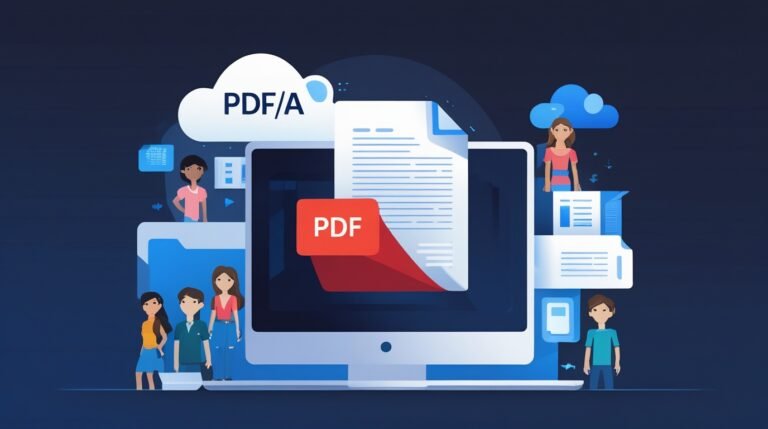
Following PDF standards ensures the PDF works on different platforms. Standards like PDF/A are great for long-term archiving.
Why Your PDF’s Origin Matters
The origin of your PDF greatly affects its use and how well it converts. Knowing the differences in PDF creation is key for handling and editing them well.
Native vs. Scanned PDFs
PDFs fall into two main types: native and scanned. Native PDFs come from digital sources like word processors. They are searchable and editable by nature. In contrast, scanned PDFs are made from physical documents. They show text as images, needing OCR software to edit.
Impact of Creation Method on Editability
The way a PDF is made changes how you can edit it. Native PDFs are easier to edit because they have real text. Scanned PDFs are harder to edit unless you use OCR.
The Hidden Metadata in Your PDFs
Metadata, like author and creation date, also matters. It gives context to your document.
Knowing where your PDF comes from helps you make better choices. It ensures you pick the right tools and methods for your needs.
Different Types of PDFs and Their Characteristics
Knowing the different PDF types is key for good document management. PDFs fall into several categories based on their content and use.
Text-Based PDFs
Text-based PDFs let you select, search, and edit the text. They’re made from digital documents. They’re great for sharing info that needs to be easy to access and change.
Image-Based PDFs
Image-based PDFs are made of images of text or graphics. You can view and print them, but the text can’t be edited unless OCR is used.
Hybrid PDFs
Hybrid PDFs mix the best of text-based and image-based PDFs. They have both a text layer and an image layer. This lets you search and edit while keeping the layout.
Interactive and Form-Enabled PDFs
Interactive PDFs have form fields, buttons, and more. They let users fill out forms, make choices, and even send data online.
Each PDF type has its own use. Knowing their features helps you pick the best one for your needs.
The PDF Quality and Conversion Relationship
The quality of your PDF documents is key to successful conversion. When converting a PDF, the quality of the input greatly affects the output.
How Quality Affects Conversion Success
High-quality PDFs have clear text and proper formatting. They are more likely to convert well. On the other hand, low-quality PDFs can cause errors or data loss during conversion.
Common Conversion Challenges
Challenges include incorrect OCR settings and poor image quality. These can lead to inaccurate text recognition or formatting loss.

PDF quality and conversion relationship
The Role of OCR in PDF Conversion
OCR technology is essential for converting image-based PDFs into editable text. It accurately recognizes text in images. This makes it easier to edit and manipulate scanned or image-based PDFs.
Optimizing PDFs for Successful Conversion
PDF optimization is key to a smooth conversion. The right methods can boost your file’s accuracy and quality.
Pre-Conversion Best Practices
Before you start, make sure your PDFs are ready. Check the PDF’s layout, remove extra stuff, and ensure the content looks right.
File Preparation Techniques
Getting your files ready is essential. Techniques like optimizing images and embedding fonts can help a lot.
Enhancing Scanned Documents for Better Results
Scanned documents need extra care for the best results. This means improving image quality and text recognition.
Improving Image Quality
To better scanned images, tweak the resolution, contrast, and brightness. This is key for clear, readable text after conversion.
Text Recognition Optimization
Use OCR technology to make text from scans more accurate. Adjusting OCR settings can greatly improve text quality.
Tools and Technologies for PDF Conversion
There are many tools and technologies for converting PDFs. You can use professional software, mobile apps, and more. Each tool has its own features to help with the conversion process.
Professional Software Solutions
Adobe Acrobat is a top choice for PDF conversion. It has advanced features like OCR technology. This makes it great for businesses and professionals who need high-quality conversions.
Free and Open-Source Alternatives
If you’re on a tight budget, try PDFtk or PDF-XChange Editor. They offer strong PDF conversion without the high cost. They might not have all the features of paid software, but they work well.

PDF conversion tools
Cloud-Based Conversion Services
Cloud-based services like SmallPDF and Convertio make PDF conversion easy. You don’t need to install software. Just upload your PDF and get the conversion done quickly.
Mobile Apps for PDF Management
CamScanner and PDF Converter are great for managing PDFs on your phone. They’re perfect for those who need to work with PDFs anywhere, anytime.
Preserving Quality During PDF Editing and Conversion
When you edit and convert PDFs, keeping the original quality is key. This helps keep your documents accurate and looking good.
Maintaining Text Formatting and Layout
It’s important to use PDF editing tools that keep the layout right. This means keeping the font styles, sizes, and spacing as they were.
Handling Images and Graphics
Images and graphics need special care to avoid losing quality. Using high-quality images and embedding them correctly in the PDF helps keep them clear.
Font Embedding and Substitution
Font embedding is vital for PDFs to look right on all devices. Without it, fonts might change, affecting how the document looks.
Color Management Considerations
Color management is essential for PDFs to look their best. Making sure color profiles are embedded right helps avoid color changes during conversion.
Conclusion
You now know how important PDF quality is for accurate conversions. The quality of a PDF greatly affects how well it converts. By understanding different PDF types and optimizing them, you can get better results.
Things like resolution, compression, and file structure matter a lot for PDF quality. Whether a PDF was created or scanned also plays a big role. Using the right tools helps make sure your PDFs convert well, focusing on quality and accuracy.
It’s key to focus on PDF quality for successful conversions. By following the strategies mentioned, you can improve your PDFs. This leads to more accurate conversions and better document management, ending on a high note.
FAQ
What determines the quality of a PDF?
The quality of a PDF depends on several things. These include the resolution, how it’s compressed, its file structure, and if it follows PDF standards.
How does the origin of a PDF affect its editability?
Where a PDF comes from matters a lot for editing. PDFs made directly (native) are easier to edit than scanned ones.
What is the difference between text-based and image-based PDFs?
Text-based PDFs have real text you can pick and edit. Image-based PDFs are pictures of text that need OCR to edit.
How does OCR improve PDF conversion accuracy?
OCR (Optical Character Recognition) makes PDFs better by turning scanned text into editable text.
What are some best practices for optimizing PDFs before conversion?
To make PDFs better, start with high-quality files. Remove things you don’t need. Also, improve scanned documents to make text and images clearer.
What tools are available for PDF conversion?
There are many tools out there. You can use Adobe Acrobat, free options, cloud services, or apps for your phone.
How can I preserve the quality of my PDF during editing and conversion?
Keep the text and layout the same. Be careful with images and graphics. Use the right fonts and manage colors well.
What is the significance of PDF metadata?
PDF metadata holds important info like when it was made and who made it. It helps with organization, searching, and converting.
Can I convert interactive PDFs?
Yes, you can convert interactive PDFs. But, you might need special tools to keep the interactive parts.
How does compression affect PDF quality?
Compression makes PDFs smaller but can lower their quality. Too much compression can make details and clarity worse.